Video With Highlight Button
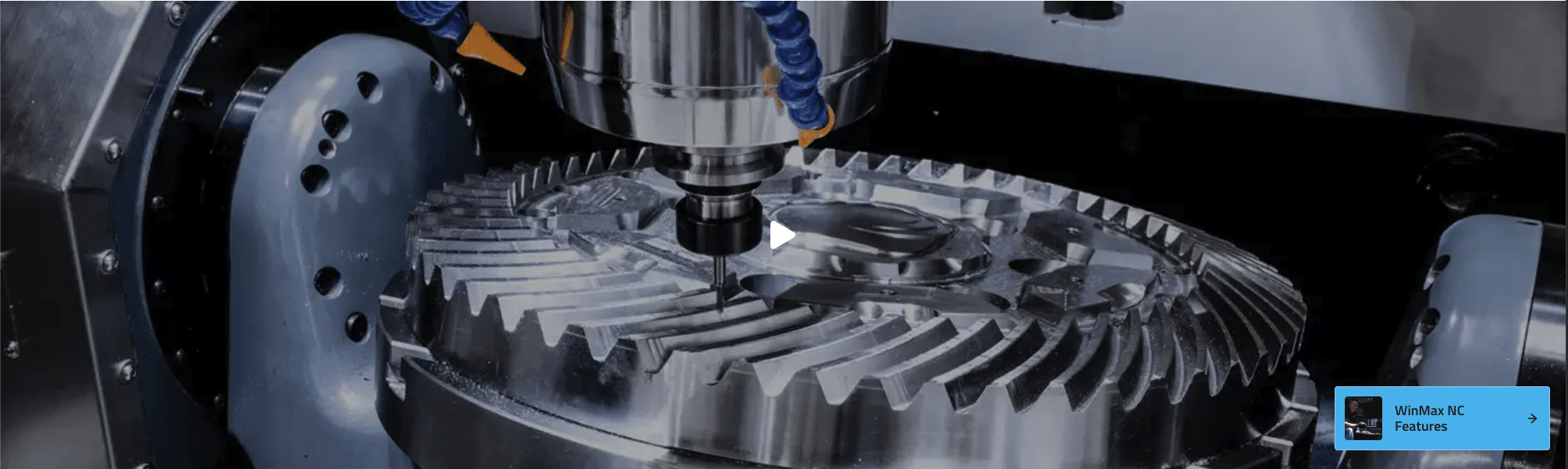
The Video With Highlight Button component displays a video with a prominent call-to-action (CTA) button, a thumbnail image, and an optional CTA image. It is ideal for showcasing product features, tutorials, or promotional content with a clear action for users to take.
Fields
- Video: The main video file to display (e.g., product demo or feature highlight).
- Video Thumbnail: The image shown before the video plays.
- CTA Label: The text for the call-to-action button (e.g., "WinMax NC Features").
- CTA URL: The link for the call-to-action button (e.g., "/winmax").
- CTA Image: (Optional) An image displayed inside or next to the CTA button.
- Type: The video type ( can be internal, from the media gallery, or a youtube video)
- Youtube ID: If the video type is youtube, this field will be used to embed the video.
tip
The youtubeID comes from the URL of the youtube video. For example, if the URL is https://www.youtube.com/watch?v=Ibv04jDGqMo, the youtubeID is Ibv04jDGqMo.

Usage
- Use this component to draw attention to important videos and drive user action.
- Add a descriptive CTA label and link to guide users to the next step.
- Use a relevant thumbnail and CTA image for visual appeal.
Example (Website View)
Best Practices
- Use high-quality video and thumbnail images.
- Write clear, action-oriented CTA labels.
- Ensure the CTA URL is correct and matches the intended action.
- Use the internal/external type appropriately for navigation.