Split Hero
This guide explains how to use the Split Hero component in the Hurco Backoffice to manage the hero section at the top of content pages.
The component is available in the Content Page Collection Type. It supports two variants — Simple and Animated — which control both the visual presentation and the available fields.
Variants
Simple
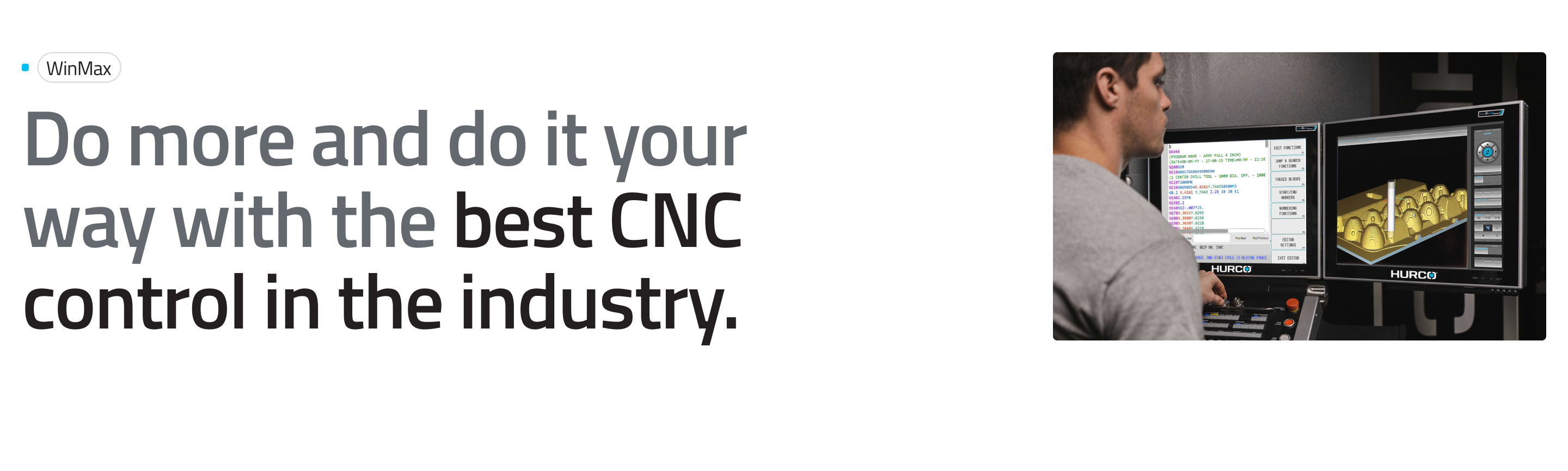
The default variant. Renders a static hero layout with no video or CTA. The video and CTA fields are hidden in this mode.
Website view — Simple variant:
Animated
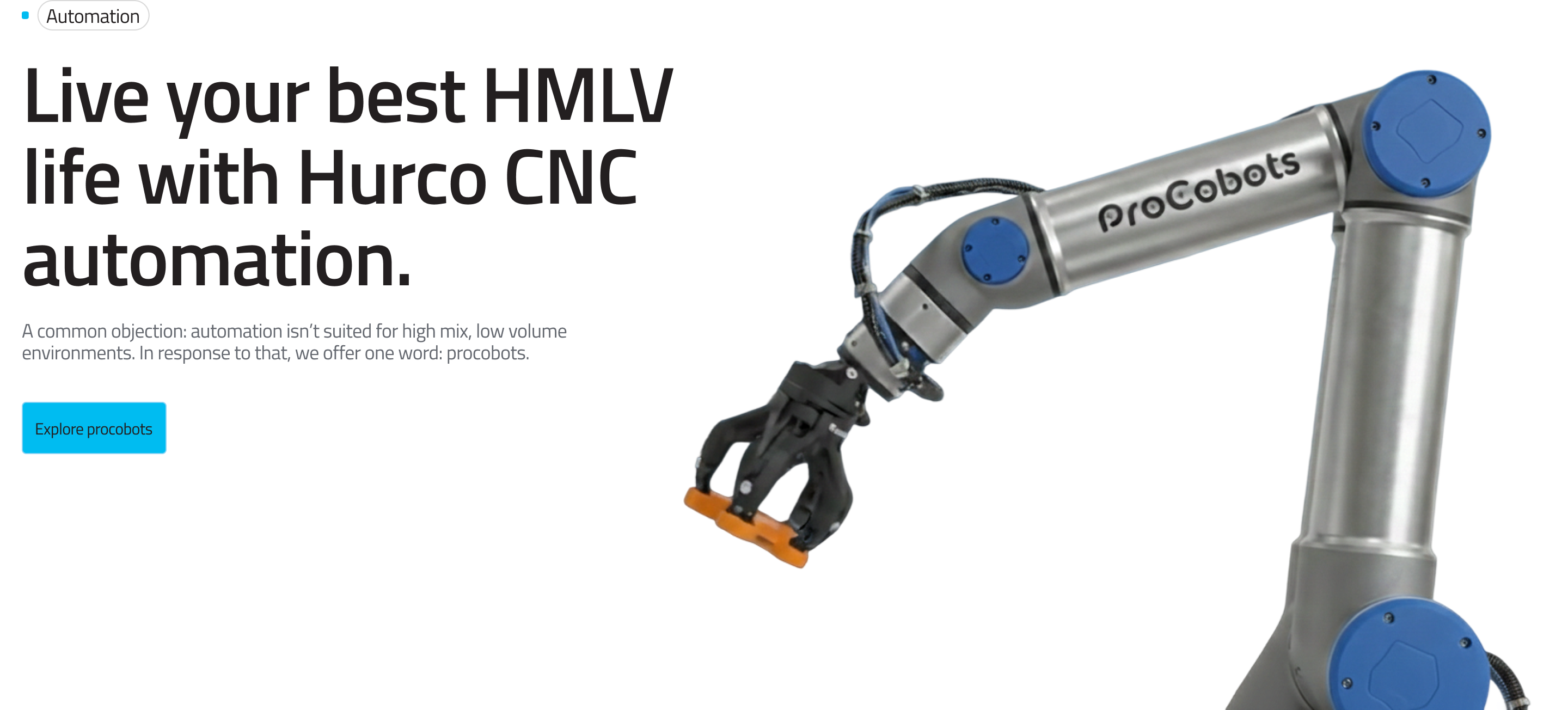
Enables additional fields: a featured video and a call-to-action button. The video plays as part of the hero animation.
Website view — Animated variant:
Fields
Caption:
-
Variant (required) – Selects the hero mode. Options:
simple– Static layout, no video or CTA fields.animated– Reveals the Featured Video, CTA Label, and CTA URL fields.
-
Featured Video (animated only, optional) – A video file displayed as part of the animated hero. Only video files are accepted.
-
CTA Label (animated only, optional) – The text label for the call-to-action button shown in the animated hero.
-
CTA URL (animated only, optional) – The destination URL for the call-to-action button.
The Featured Video, CTA Label, and CTA URL fields are only visible in the Backoffice when the Animated variant is selected.
For more guidance on publishing content and best practices, check out our Publishing Content Guide.