Filterable Accordion Features
This guide explains how to use the Filterable Accordion Features component in the Hurco Backoffice. It renders a list of features that can be filtered by category, allowing users to easily find the information they are looking for. The component is available in the Content zone of the Content Page Collection Type.
Fields
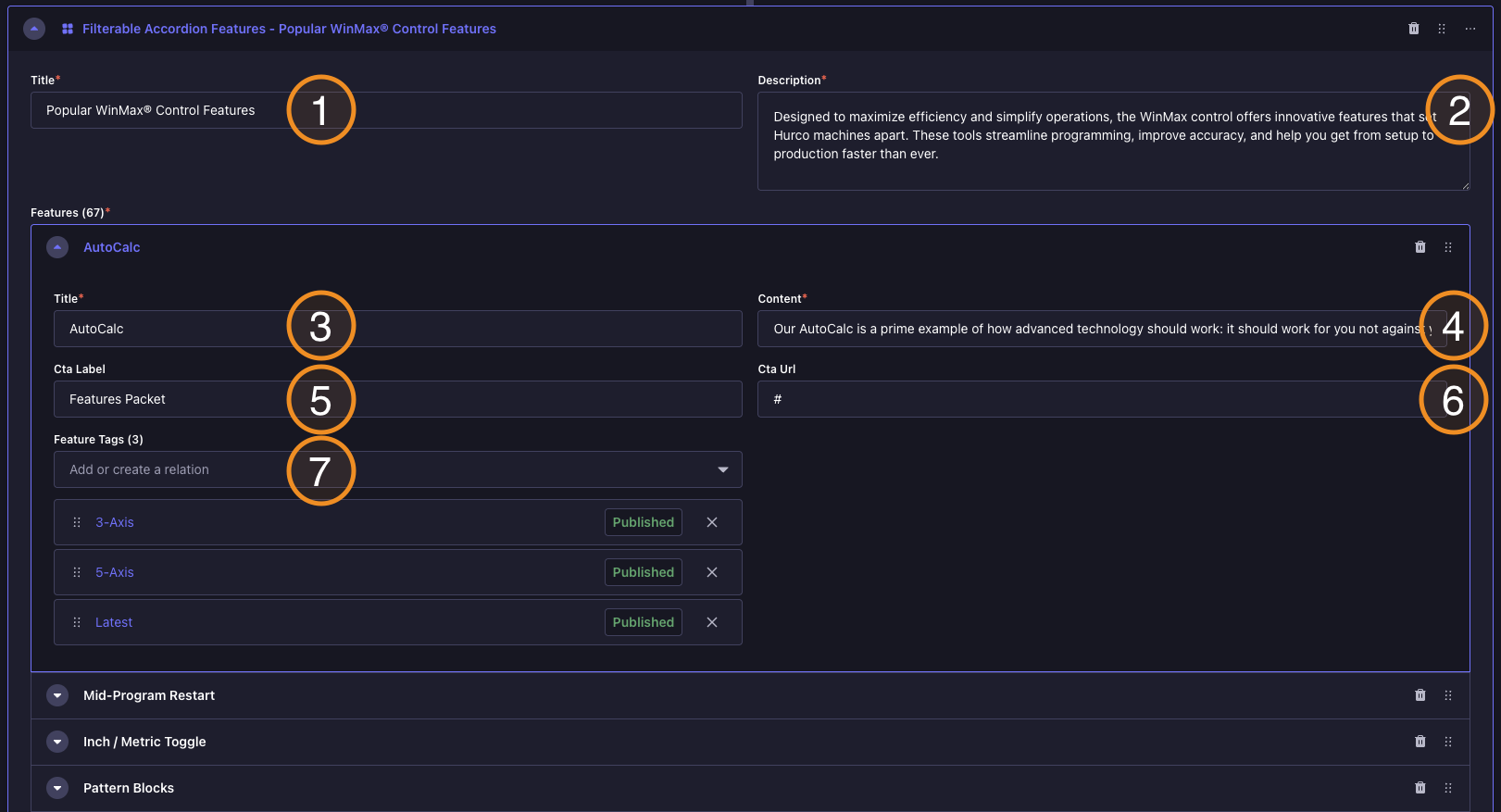
Backoffice View:
Frontend View:
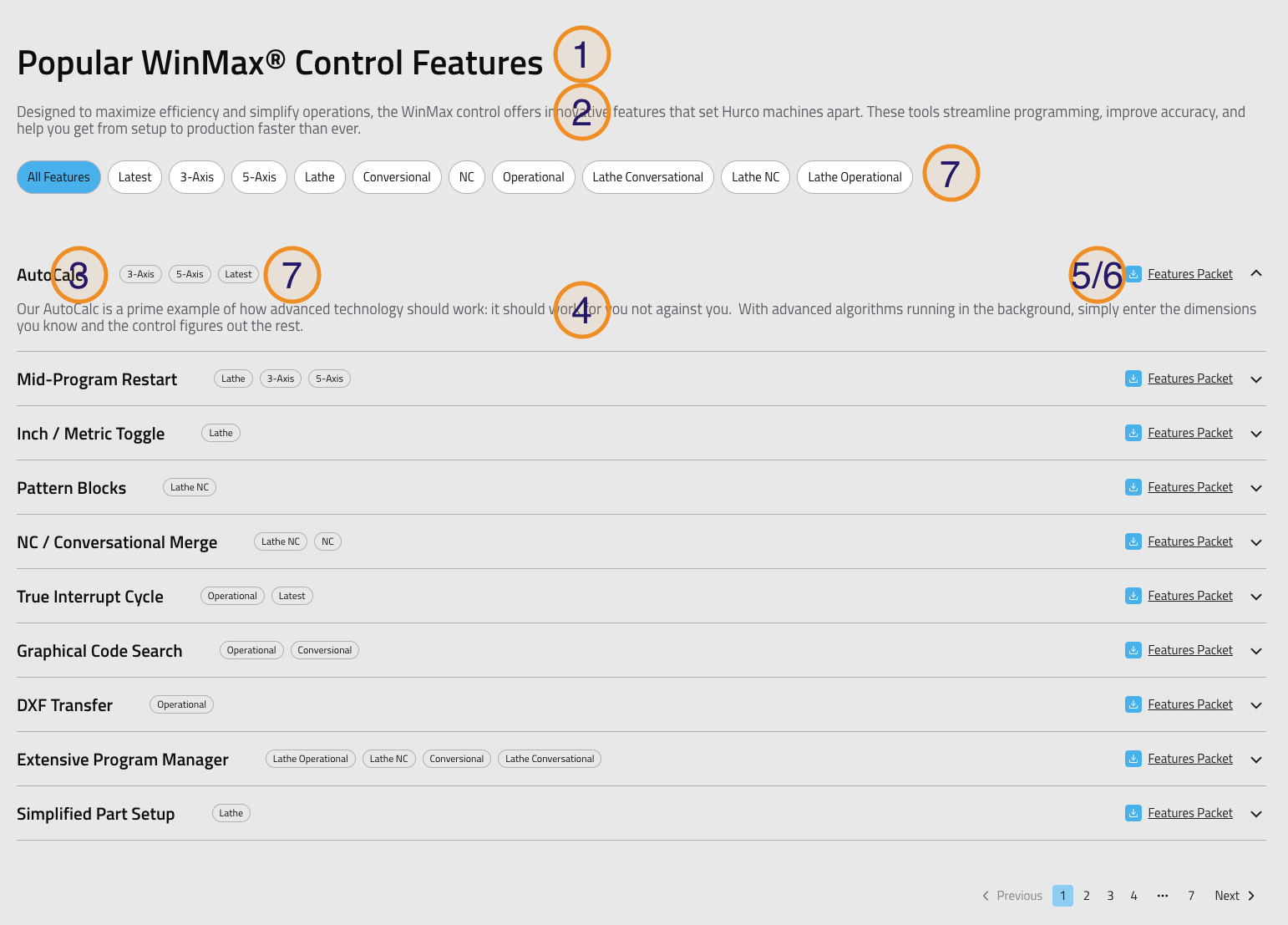
Caption
-
Title — A short title displayed above the list of features. Used to introduce the section (e.g. "WinMax Features", "What WinMax Offers", "Why Choose WinMax").
-
Description — A brief description of the features listed in the accordion.
-
Title — The title of the feature. Displayed in the accordion header.
-
Content — A detailed description of the feature. Displayed in the accordion body when the header is clicked.
-
Cta Label — The text displayed on the call-to-action button for each feature. Used to encourage users to take a specific action (e.g. "Learn More", "See It In Action", "Get Started").
-
Cta Url — The URL that the user will be directed to when they click the call-to-action button. This should be a valid URL that leads to more information about the feature, a relevant page on the website or a file download.
-
Feature Tags — A list of tags that can be used to filter the features. Each tag represents a category or characteristic of the feature (e.g. "Latest", "3-Axis", "Lathe"). Users can click on these tags to filter the features displayed in the accordion based on the selected tags. They will also be displayed as badges on the acordion header of each feature.