Reasons to Believe
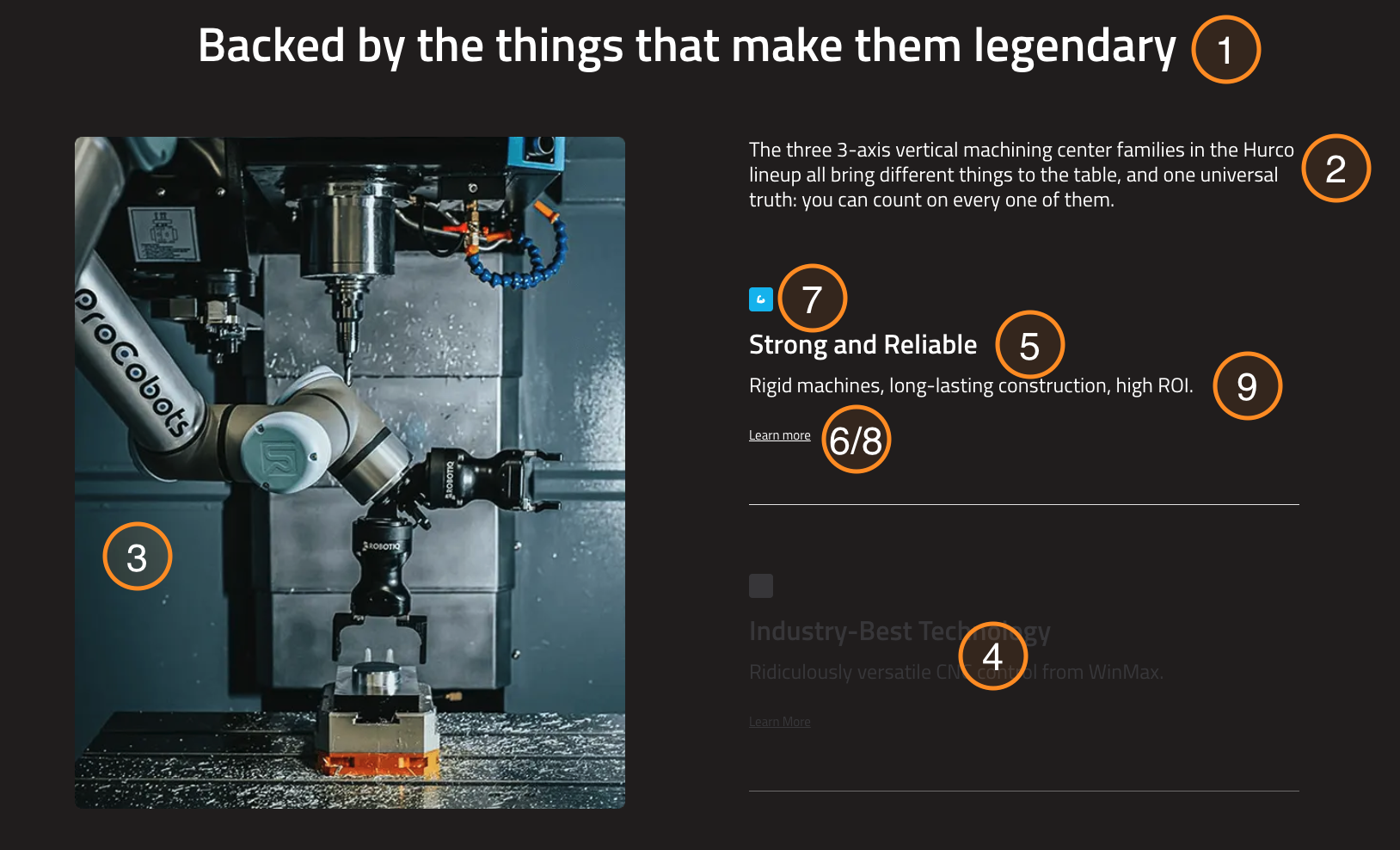
This guide explains how to use the Reasons to Believe component in the Hurco Backoffice. It renders a scroll-animated section with a sticky image on the right and a vertical stack of highlight cards on the left.
The component is available in the Content zone of the Content Page Collection Type, and also in the Product Categories Collection Type.
There is also a Reasons to Believe Horizontal variant that displays the highlights in a horizontal card layout instead. See the Reasons to Believe Horizontal guide for that version.
Overview
As visitors scroll through the page, each highlight card animates into view while the image on the right remains sticky (pinned) on desktop. On mobile, the image stacks above the highlight cards. This component is suited for presenting key selling points or value propositions with visual impact.
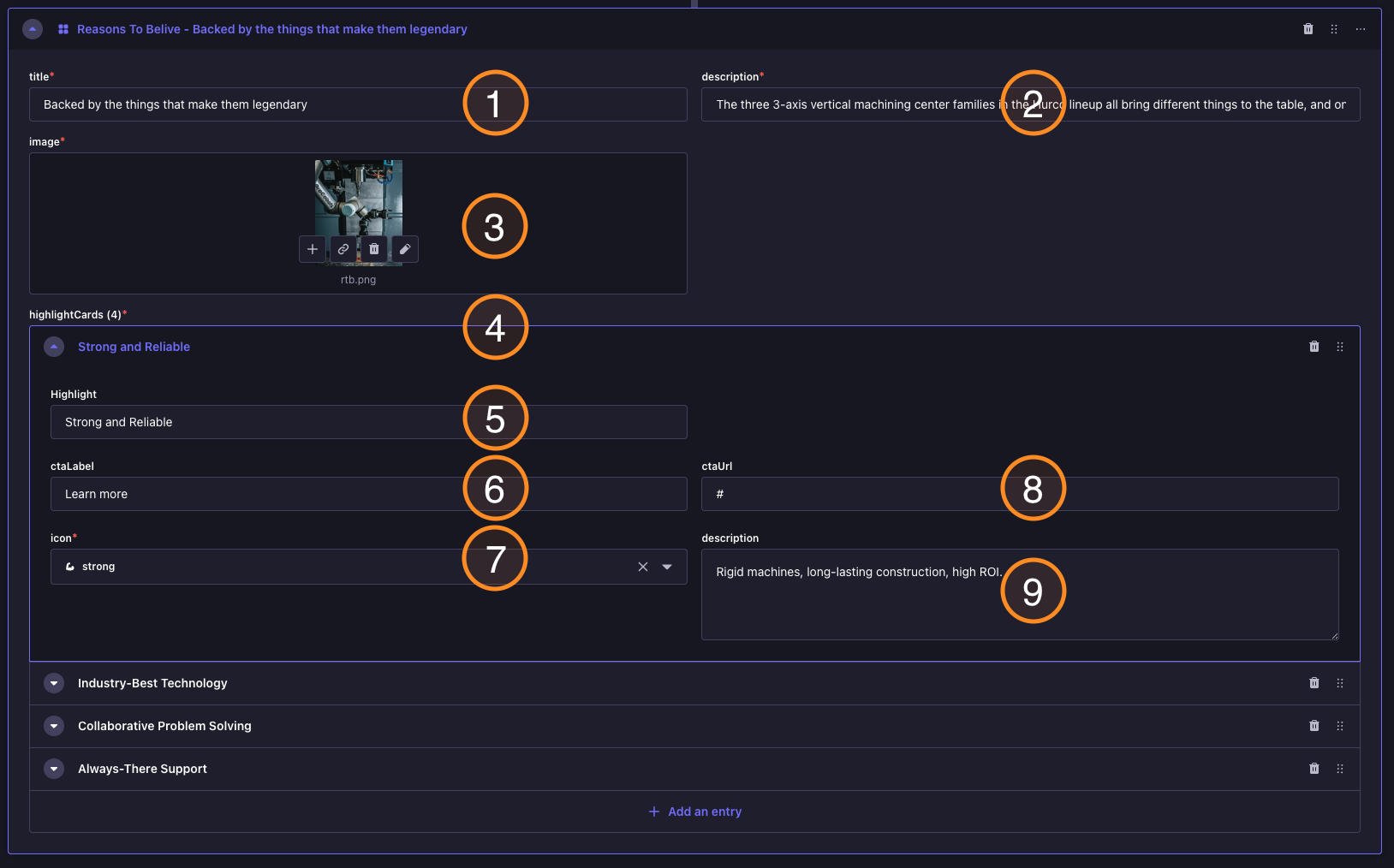
Backoffice view:
Website view:
Fields
-
Title (optional) — The section heading displayed above the highlight cards.
-
Description (optional) — A supporting description displayed below the section title.
-
Image (optional) — The image displayed on the right side of the section. On desktop it stays fixed (sticky) as the user scrolls through the highlights. On mobile it appears above the cards.
-
Highlight Cards (optional) — A list of highlight items. Each card contains:
- Highlight — The card heading or key point (displayed prominently).
- Description — A short explanation of this highlight.
- CTA Label (optional) — The text for an optional call-to-action link.
- CTA URL (optional) — The destination link for the call-to-action.
Behaviour
- Highlight cards animate based on the scroll position of the page.
- Each card changes colour as it becomes active in the viewport.
- On desktop, the image remains pinned on screen while the cards scroll on the left.
- On mobile, the layout stacks vertically with the image above the cards.
For more guidance on publishing content and best practices, check out our Publishing Content Guide.