Editorial Block
The Editorial Block component is a content section that combines a large image, a title, supporting rich text, and a call-to-action button.
It is useful for editorial or storytelling sections where you want to highlight a customer story, campaign, case study, or promotional content with a strong visual at the top.
Frontend Layout
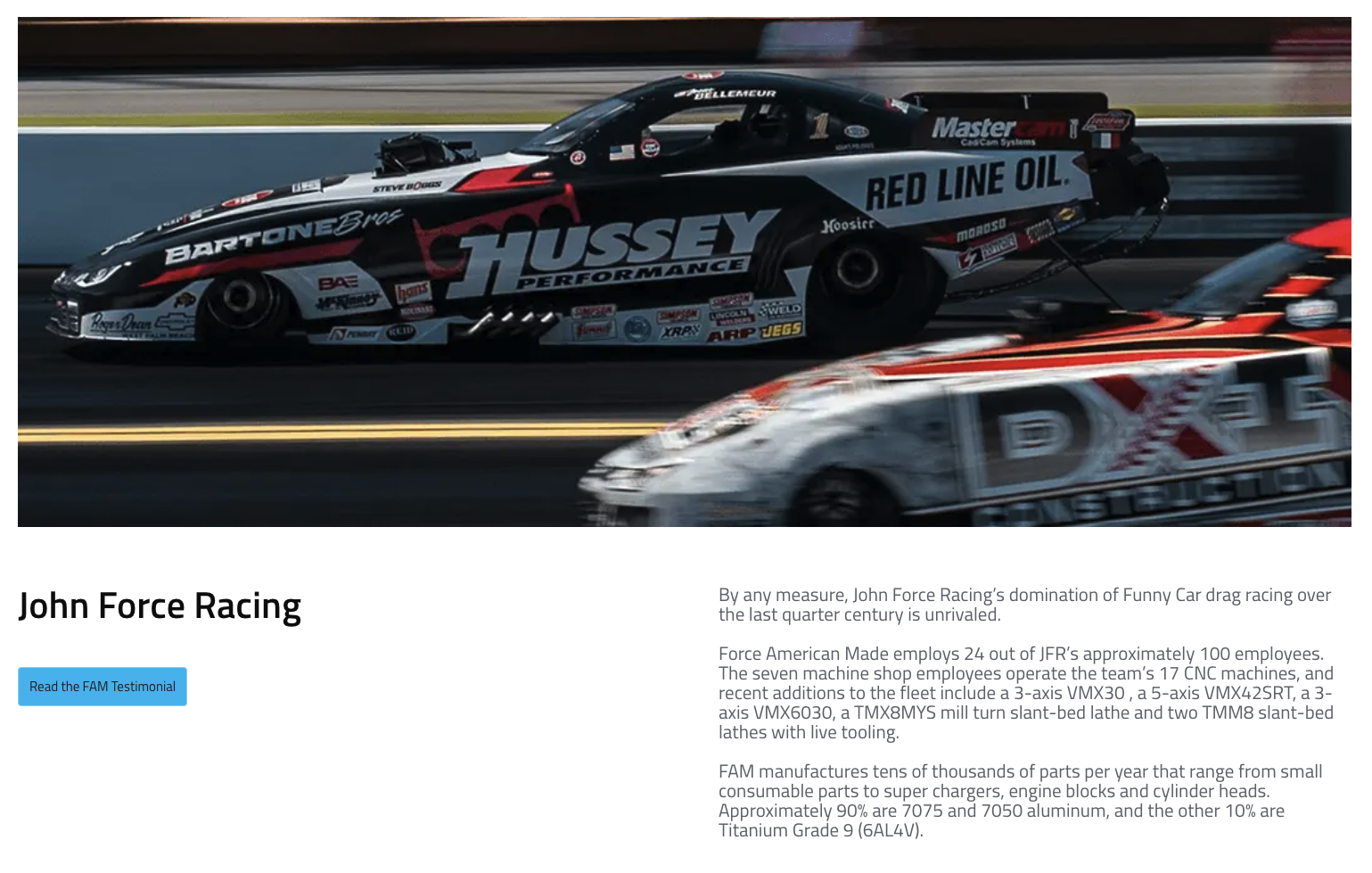
In the current layout shown in the frontend example:
- The image is displayed at the top of the section.
- The title appears below the image on the left.
- The description appears on the right.
- The CTA button is shown below the title.
This creates a section that gives strong visual emphasis to the image while keeping the text content easy to scan.
Fields
The Editorial Block includes the following fields:
-
Image (required) The main image displayed at the top of the section.
-
Full Width (required) A true/false option that controls how the image is displayed in the layout.
-
Title (required) The main heading shown below the image.
-
Description (required) The main text content of the block. This field supports rich text formatting.
-
CTA (required in the current component setup) The call-to-action button shown with the content. It includes:
- Label: The visible text on the button.
- Href: The destination URL.
- Variant: The button style used on the frontend.
Field Guidance
Image
Use a strong, high-quality image that supports the story or message of the section.
Because the image is the first thing users see, it should:
- Be visually clear and relevant to the content
- Work well in a wide horizontal crop
- Avoid important details too close to the edges
Full Width
This toggle controls the image presentation.
- True: Use when the image should have stronger visual impact.
- False: Use when the layout should feel more contained.
The exact spacing and rendering depend on the frontend implementation, so it is best to verify the result on the page after publishing.
Title
Keep the title short and easy to scan. This component works best with a concise heading that introduces the section clearly.
Example:
- John Force Racing
- Ed Carpenter Racing
Description
Use the description field for the main narrative or supporting information.
This field supports rich text, so you can structure the content into readable paragraphs. For best results:
- Keep paragraphs short
- Avoid overly dense text blocks
- Use formatting only where it improves readability
CTA
Use the CTA to direct the visitor to the next step, such as:
- Reading the full testimonial
- Opening a related product page
- Visiting a case study or resource
Make sure the Href points to a valid internal or external page.
Best Practices
- Use an image that clearly supports the story being told.
- Keep the title concise.
- Write description text in short, readable paragraphs.
- Use the CTA for a clear next action.
- Review the published page to confirm the image crop and text balance look correct.
Website View
Summary
The Editorial Block is a visually driven content section with five main elements: image, full-width setting, title, description, and CTA. It is best used when you want to combine a strong image with supporting text and a clear action for the user.