Fields Explained
This guide details all fields available in the Hurco Backoffice for managing your website's Resources section. The Resources collection type lets you organize Blog Posts, News, Testimonials, Events, and Videos.
Backoffice View
Website View

Fields Explained
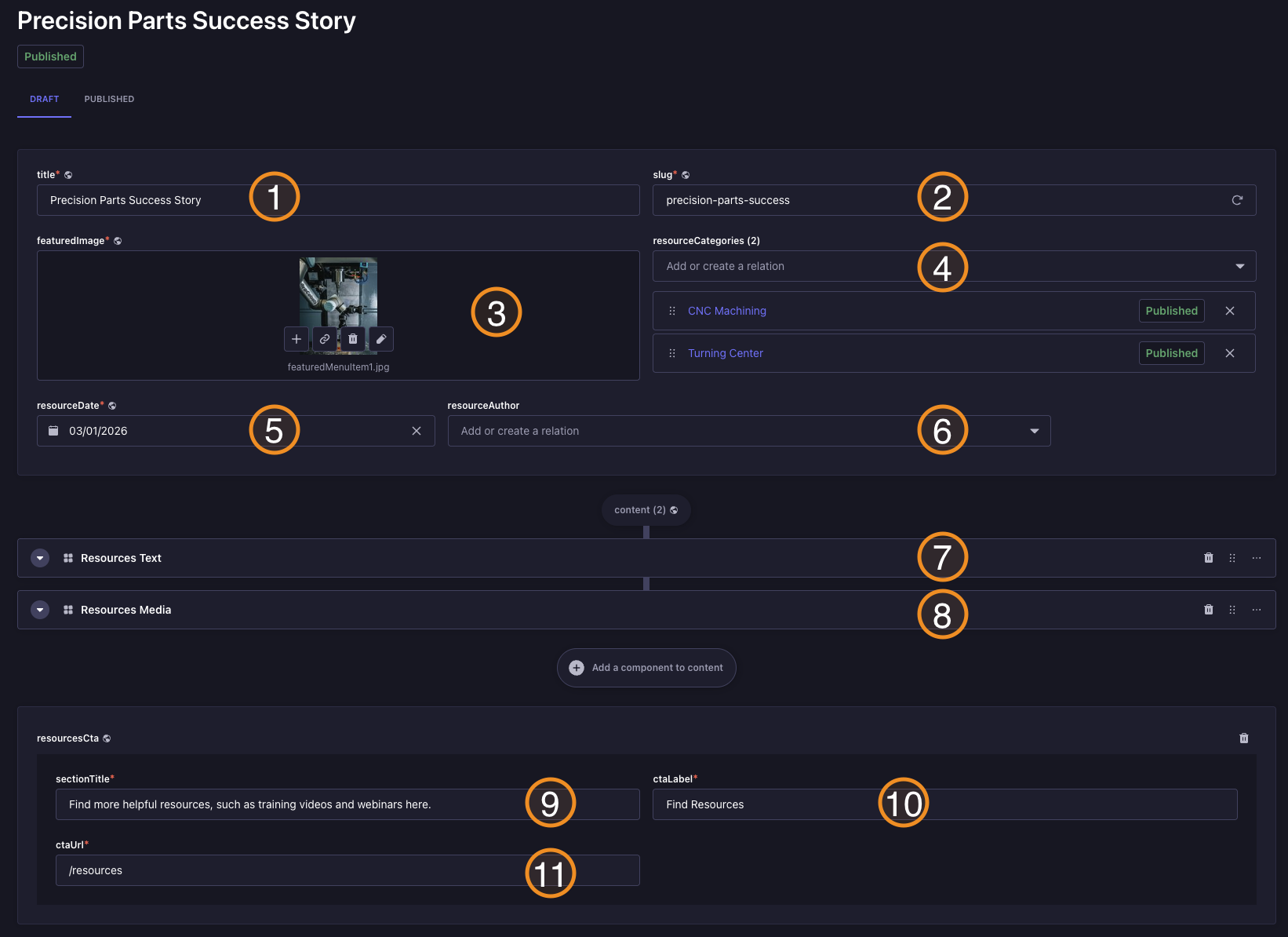
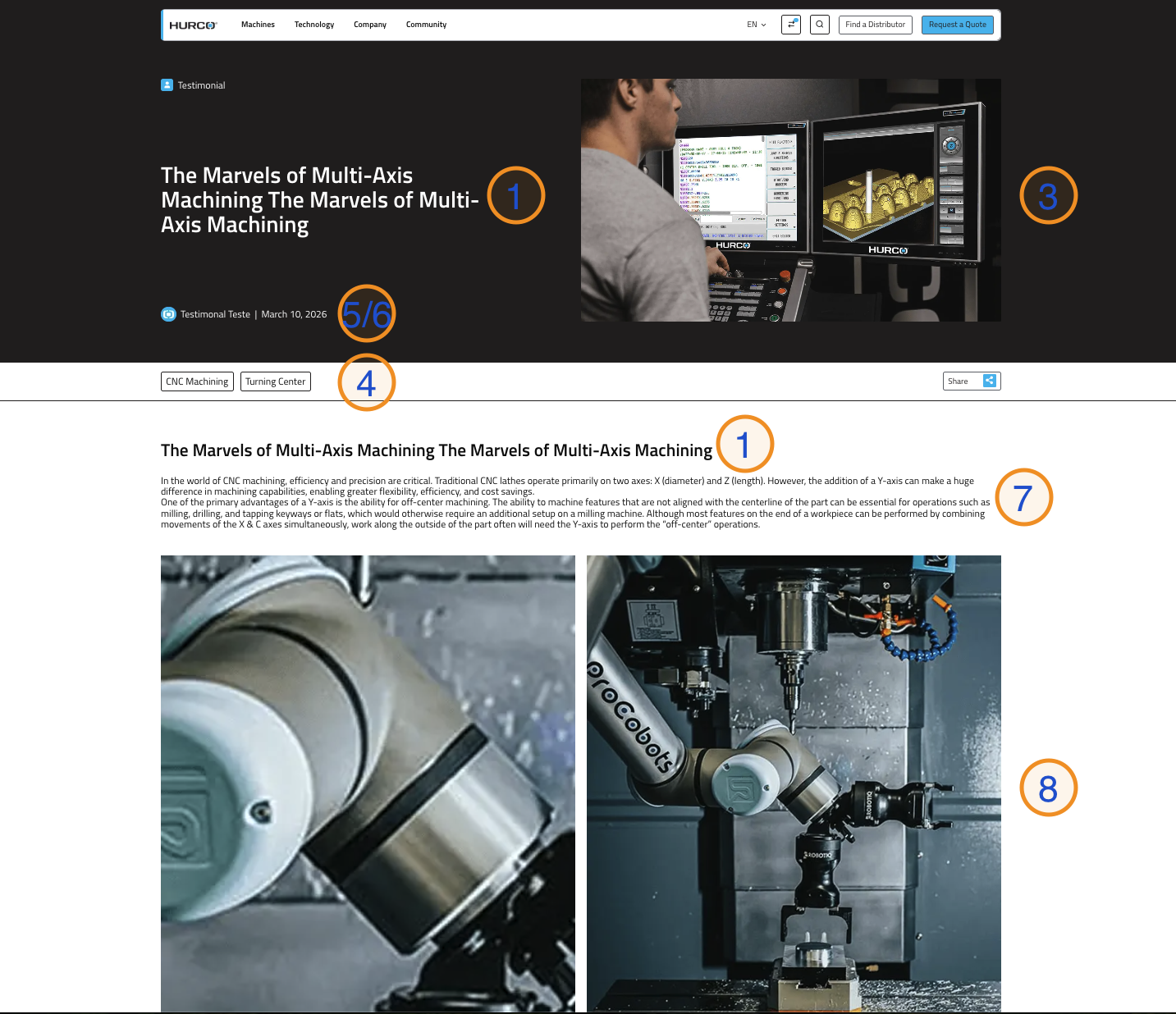
1. Title
The title of the resource entry, displayed on the website.
2. Slug
The URL slug for the resource entry, used in the resource page URL.
3. Featured Image
The featured image for the resource entry, shown on the website.
4. Category
The category of the resource entry, used to organize and filter resources.
5. Resource Date
The date associated with the resource entry, used to sort and display resources chronologically.
6. Resource Author
The author of the resource entry, displayed on the website.
7. Resource Text
The main content of the resource entry, displayed on the website.
8. Resource Media
Add up to two images to blog, news, testimonial, or event posts. If you add one image, it will be displayed full width; two images will be shown side by side, each taking half the width.
9. Resource CTA - Section Title
The title of the call-to-action section, displayed on the website.
10. Resource CTA - CTA Label
The label of the call-to-action button, displayed on the website. Defaults to "Find Resources" if left empty.
11. Resource CTA - CTA URL
The URL for the call-to-action button, used when the button is clicked. Defaults to "/resources" if left empty.