What is a Collection Type?
A Collection Type is a structured content type that allows you to create, manage, and organize related pieces of content within a system. Collection Types are designed to group similar items together, making it easier to handle large amounts of data efficiently.
Key Features of Collection Types
- Structured Data: Collection Types provide a predefined structure for data, ensuring consistency across all entries.
- Relationships: They can establish relationships between different types of content, allowing for more complex data models.
- Scalability: Collection Types are built to handle large volumes of content.
- Content Management: They facilitate easy content creation, editing, and organization through user-friendly interfaces.
Why use Collection Types?
Collection Types in the Hurco Backoffice help you manage content that appears multiple times across the website, such as Blog posts, Products, or Dealer locations. Each entry in a Collection Type is a single item you can add, edit, or delete as needed.
- Organize repeatable content: Easily manage lists like products, articles, etc.
- Consistent structure: Each item of the same type uses the same set of fields, making editing simple and predictable.
- Flexible updates: You can add, update, publish, or remove items at any time.
How to access Collection Types
-
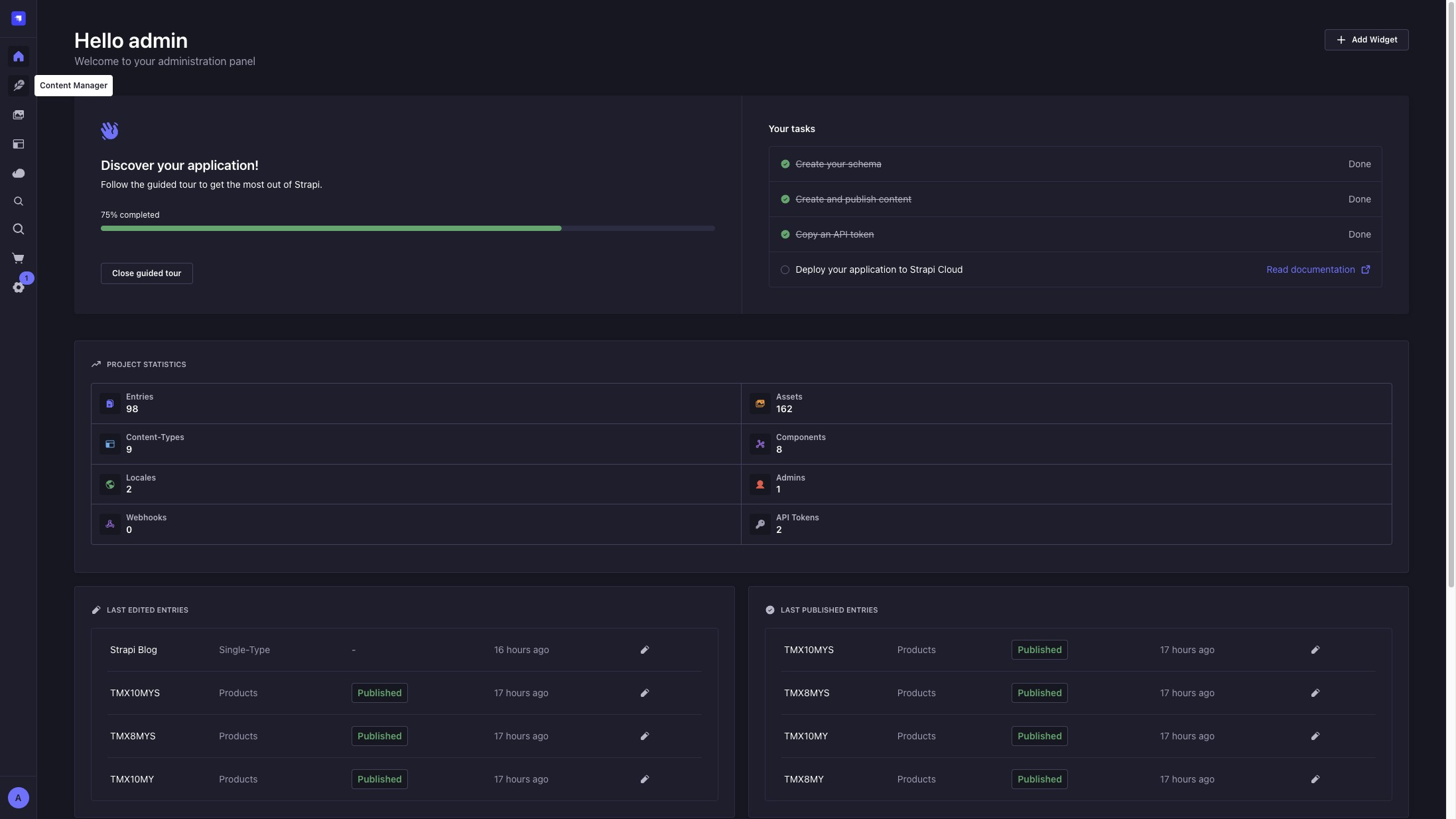
Click the Content Manager button in the Backoffice sidebar.
-
The sidebar will display all available Collection Types (such as Products, Dealers).
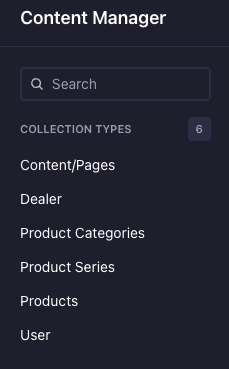
Use Collection Types for any content that repeats or needs to be listed, such as team members, services, or articles.
To know more about Collection and Single Types, check our Collection Vs Single Types guide.
Deleting an entry will remove it from the website immediately. Always double-check before deleting.