Alt Text Importance
Why Alt Text Matters
Alt text (alternative text) is a brief description of an image that serves several important purposes:
-
Accessibility: Alt text helps visually impaired users understand the content of images through screen readers.
-
SEO Benefits: Search engines use alt text to index images, improving your site's visibility in search results.
-
Context for Users: If an image fails to load, alt text provides context and information about the image.
-
Improved User Experience: Well-written alt text enhances the overall user experience by making content more understandable.
Incorporating alt text into your images is essential for accessibility, SEO, and user engagement.
How to Add Alternative Text to an Image
Follow these steps to add or edit alt text for an image in your media library:
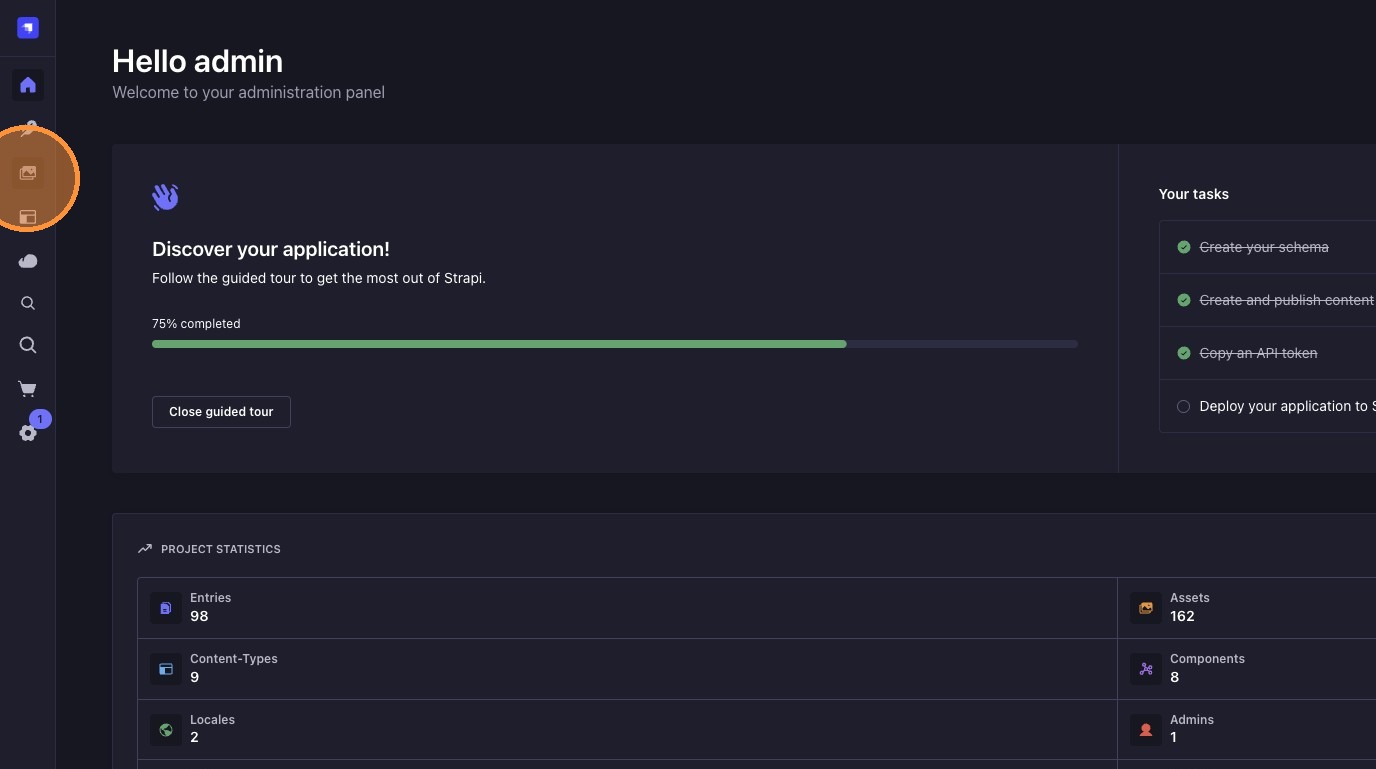
1. Open the Media Library
Click on "Media Library" in the sidebar to view your uploaded images.
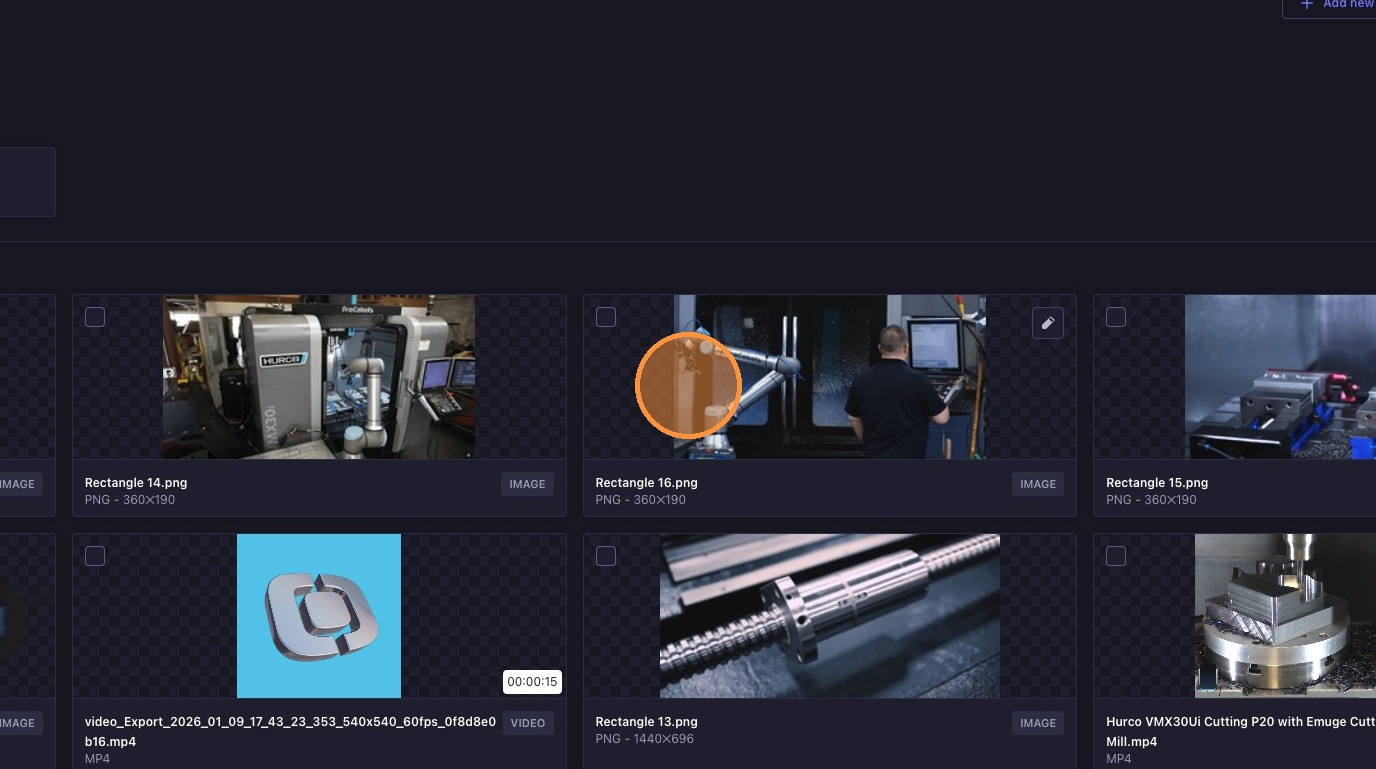
2. Select the Image
Find and click the image you want to update.
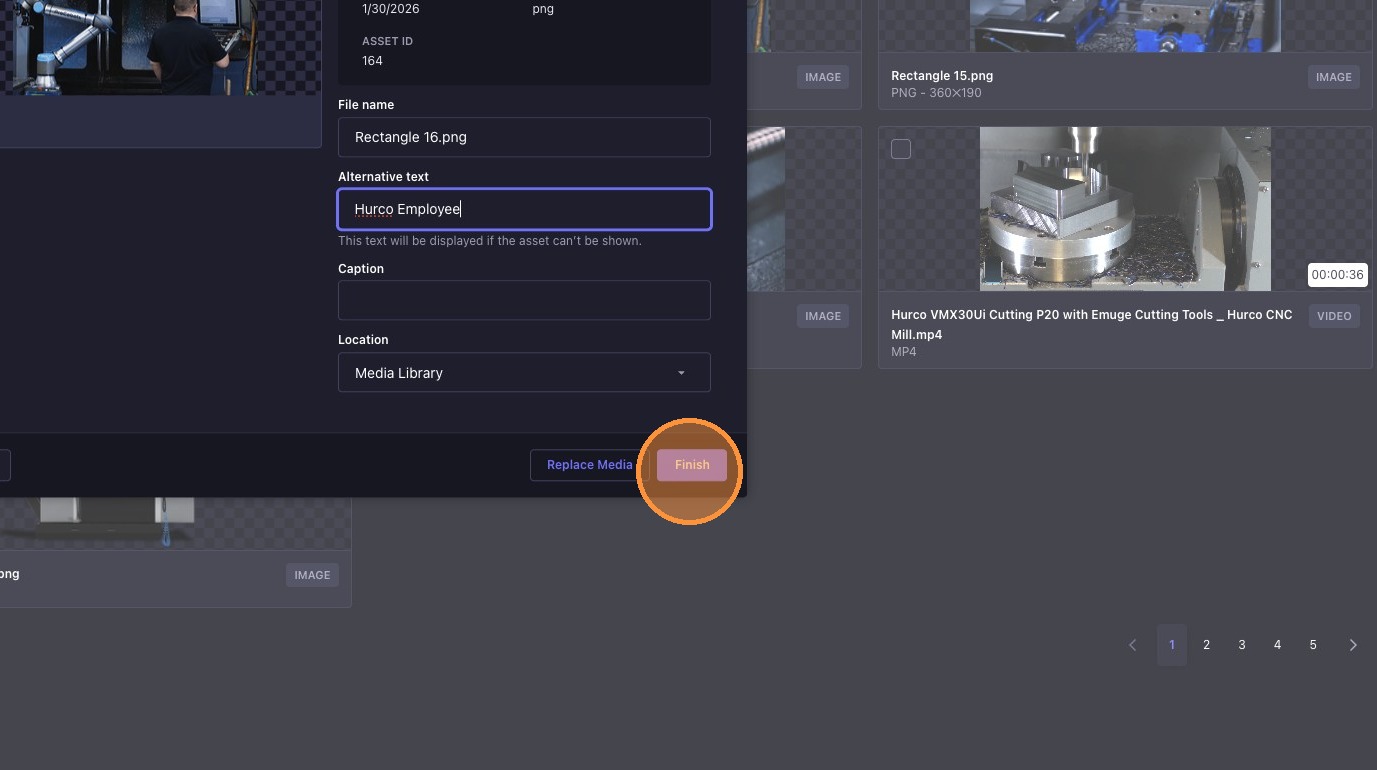
3. Enter Alternative Text
Locate the "Alternative text" field and type a clear, descriptive alt text for the image.

Keep alt text concise and relevant, ideally under 125 characters.
4. Save Your Changes
Click "Finish" to save the alt text and update the image details.
5. Verify the Alt Text Return to the Media Library and confirm that the alt text appears correctly in the image details.