
Category Menu
The category menu is a component used both on category page and series pages. It shows all the product categories and is able to add an extra item, normally used for the automation page.
The categories are automatically added to the menu, so if you create a new product category it will be shown in the menu.
The only thing you can edit in the menu is the "Extra Item".
Extra Item

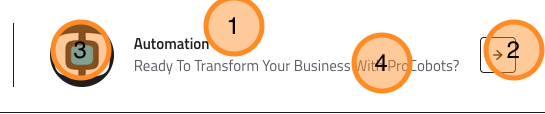
The extra item is an option item rendered at the end of the menu, it is normally used to link to the automation page but it can be used for any other purpose.
Backoffice Edit
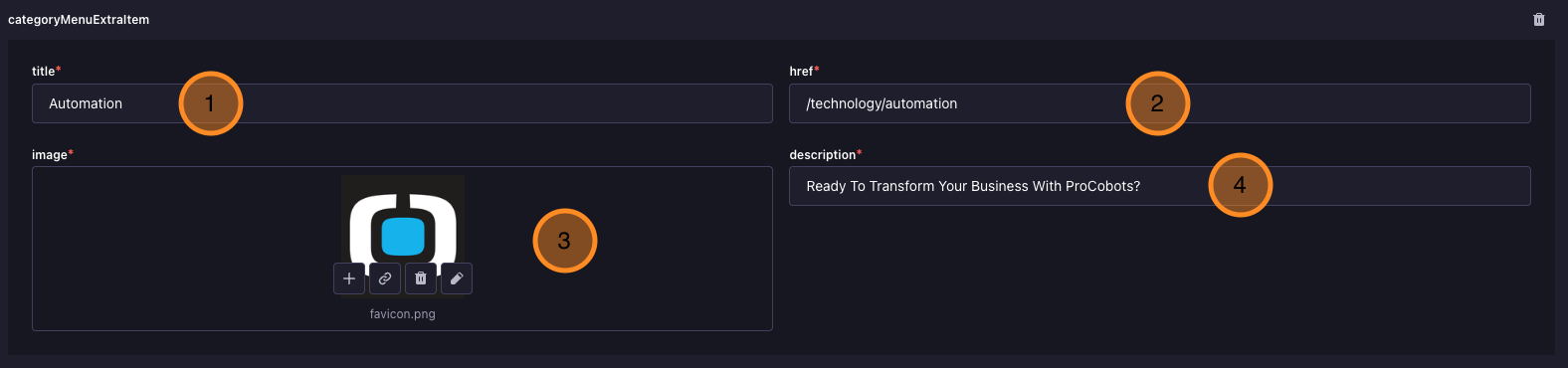
You can find the extra item in the "Global" single type, under the "Category Menu" section. Here you can edit the title, href, image and description of the extra item.
Frontend Result
Fields
- Title: The title of the menu item.
- HREF: The URL where the menu item will link to.
- Image: The image that will be shown next to the menu item.
- Description: A short description that will be shown under the menu item title.