What is a Single Type?
A Single Type is a content type designed for unique, one-off pages or sections in your website. Unlike Collection Types, which manage lists of repeatable items, Single Types are used for content that appears only once, such as the homepage, products page, or contact page.
Key Features of Single Types
- Unique Content: Single Types are for pages or sections that do not repeat elsewhere on the site.
- Consistent Structure: Each Single Type has a predefined set of fields, making editing straightforward and predictable.
- Direct Editing: You can update, publish, or remove content for a Single Type directly, without affecting other pages.
- Content Management: Single Types provide a user-friendly interface for managing unique content.
Why use Single Types?
Single Types in the Backoffice help you manage content that is unique to a specific page or section, such as the homepage banner, company history, or contact details. Each Single Type represents a single, editable item.
- Manage unique pages: Easily update content for pages like Home, Product Page, or Contact.
- Consistent structure: Each Single Type uses the same set of fields every time you edit.
- Flexible updates: You can update, publish, or remove content at any time.
How to access Single Types
- Click the Content Manager button in the Backoffice sidebar.
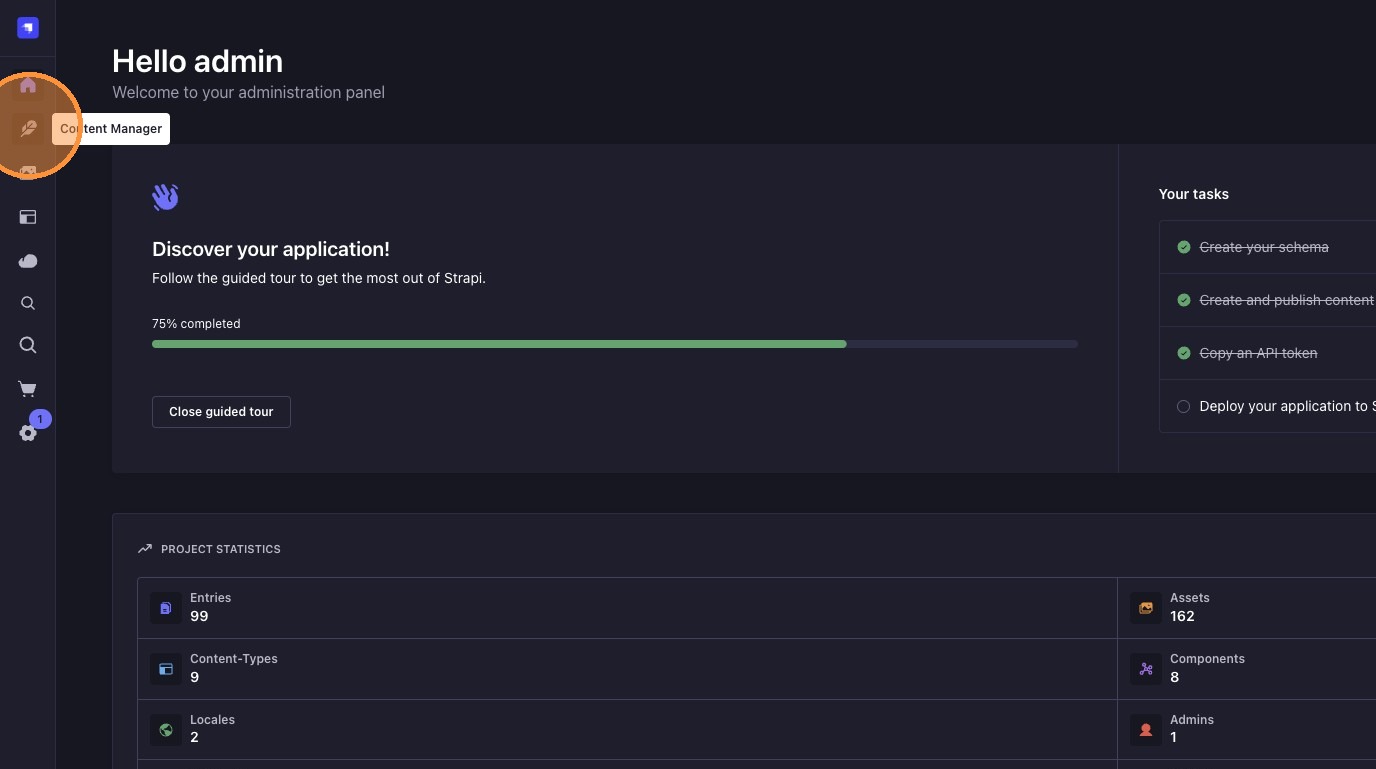
- The sidebar will display all available Single Types (such as Global, Product Page, Contacts Page).

Example: Contact Page Single Type
When you open the "Contact Page" Single Type, you can edit the unique content for your site's contact information. This ensures consistency and makes updates easy for important sections.
Example:
Contact Page Single Type
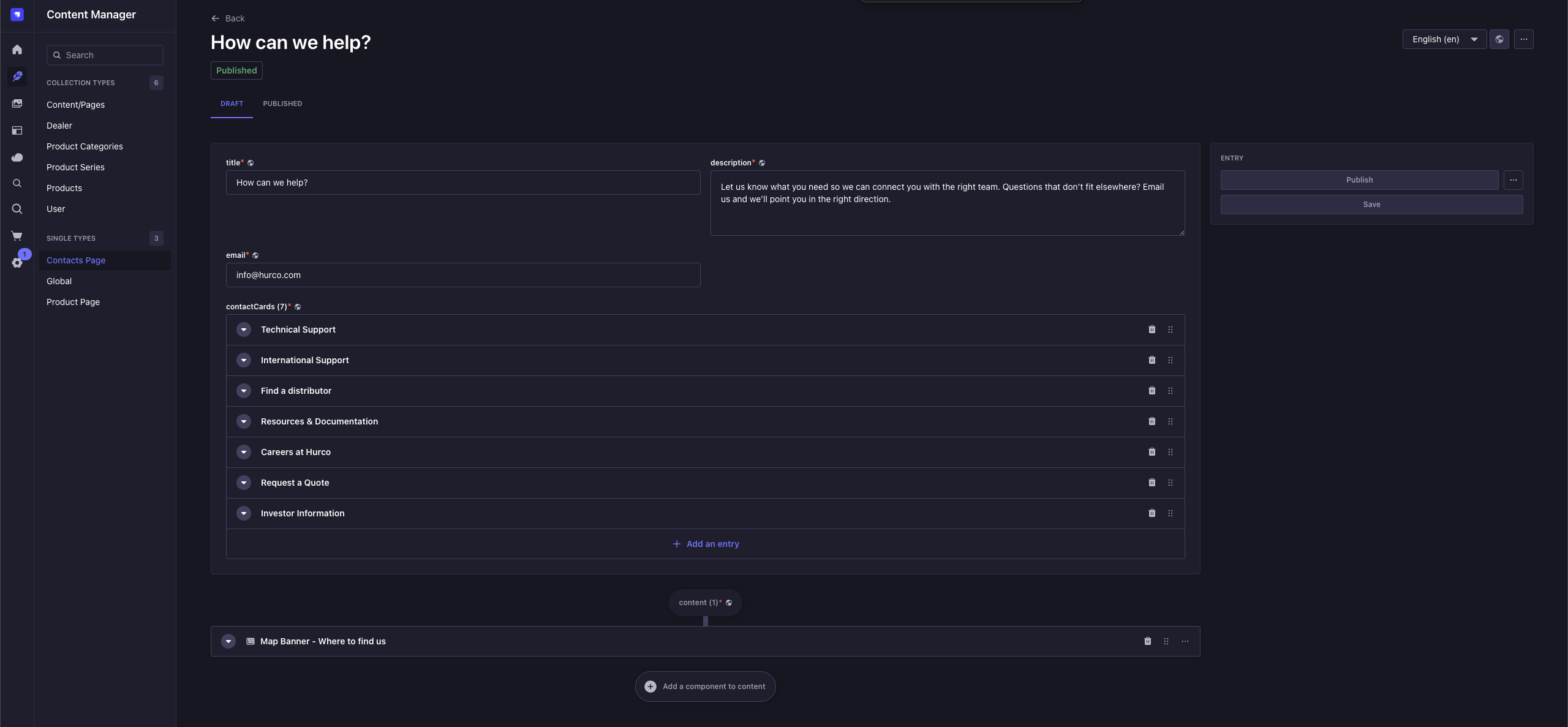
Use Single Types for any content that is unique to a page or section, such as the Product Page, or Contact Page.
To know more about Collection and Single Types, check our Collection Vs Single Types guide.
Updating a Single Type will immediately change the content on the website. Always review your changes before publishing.