Contacts Page
You can find the Contacts Page content in the Backoffice under Content Manager > Contacts Page.
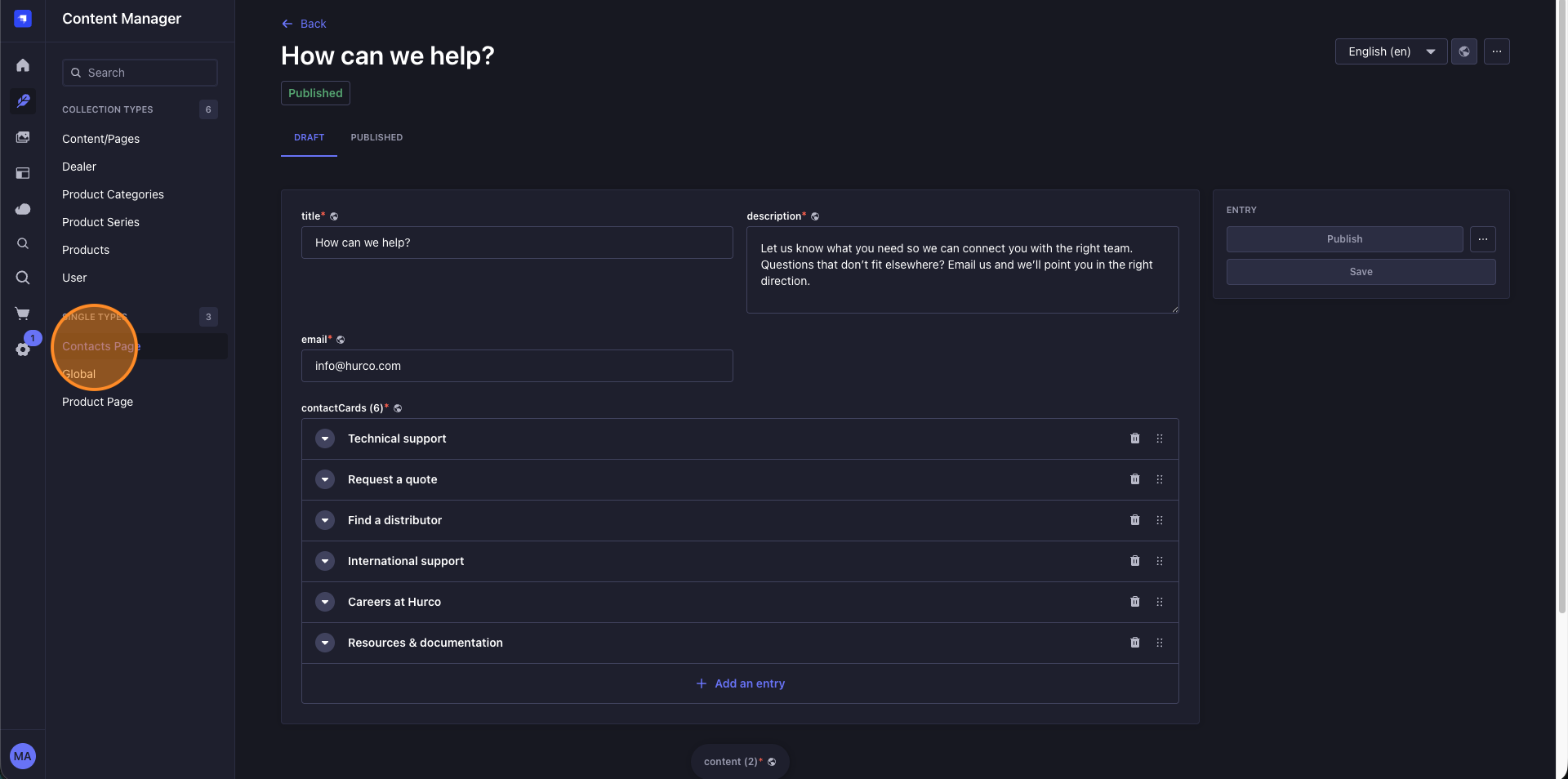
Backoffice Fields
Website Display
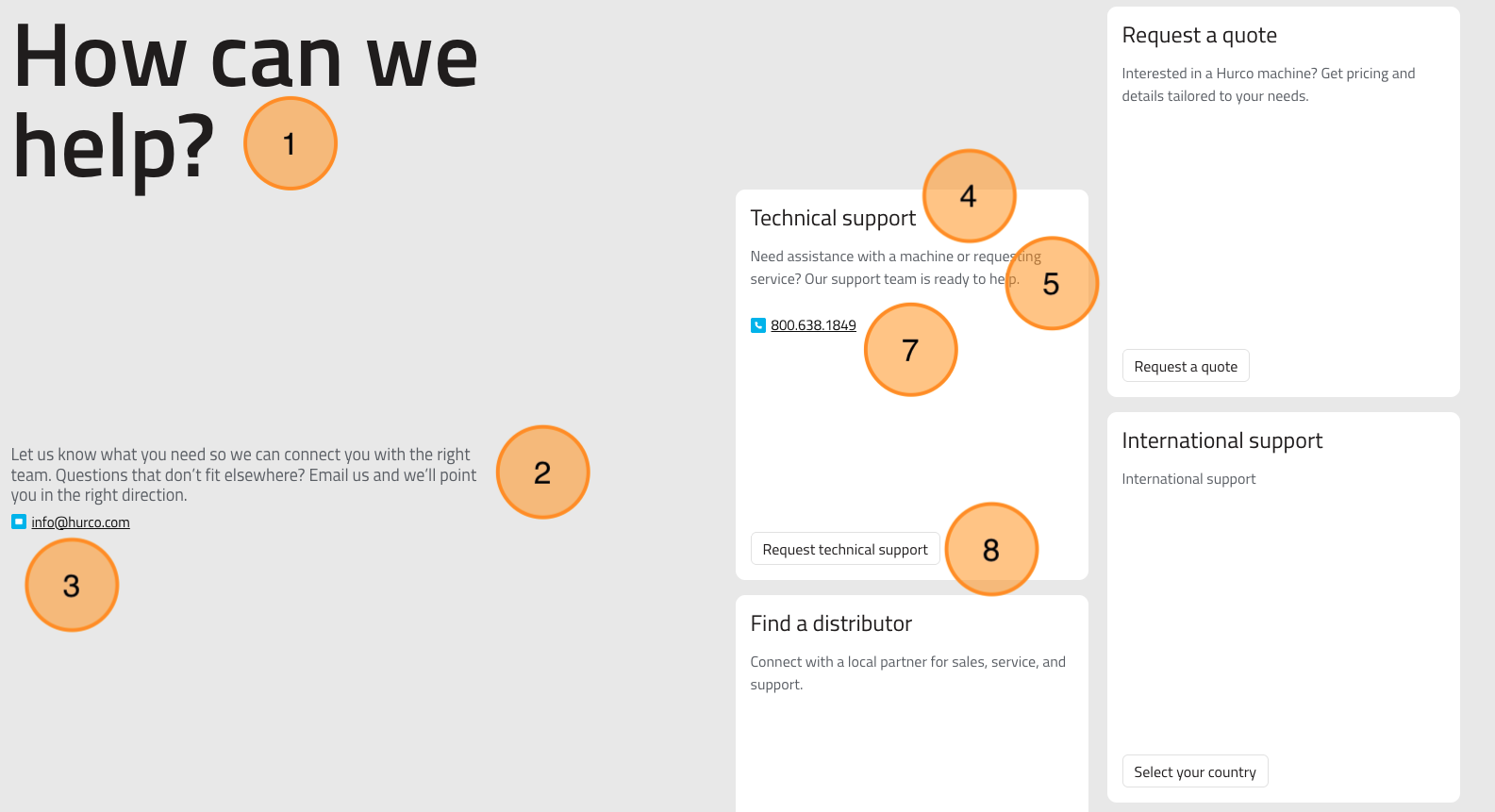
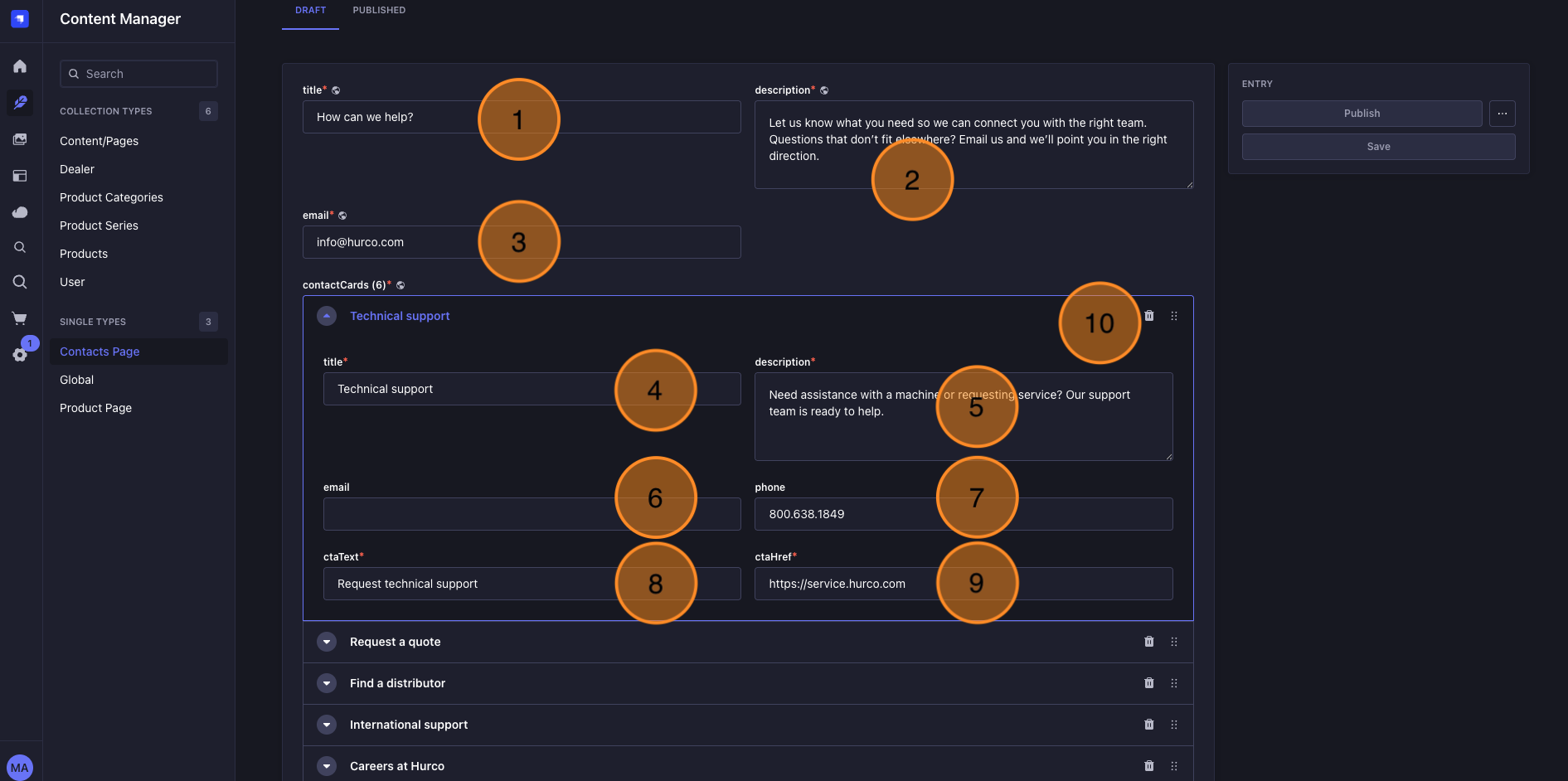
Fields Explanation
- Title: The main heading of the Contacts Page, displayed prominently at the top of the page.
- Description: A brief introduction or message that appears below the title, providing context or instructions to visitors.
- Email: The contact email address that visitors can use to reach out to the company.
- Card - Title: The Title for the single contact card
- Card - Description: The description for the single contact card
- Card - Email: The contact email address for the single contact card
- Card - Phone: The contact phone number for the single contact card
- Card - Cta Label: The label for the call-to-action button on the single contact card
- Card - Cta Href: The URL that the call-to-action button on the single contact card will link to when clicked
- Cards Controls: If you want to have more than one contact card, you can add as many as you need using the "Add an entry" button. You can also order them or remove them using the controls on the left of each card entry.
Dynamic Content Available
The Contacts Page also includes a dynamic zone where you can add components. The components available on this page are:
- Map Banner: Displays a map with a specific location, address and title. See Map Banner.
- Custom HTML: Embed any third-party tool, form, or script (e.g. a HubSpot form or meeting scheduler). See Custom HTML.